
Staying consistent
Why do I quit habit trackers? Six reasons, in people’s own words
The short answer
Why do I quit habit trackers? Usually the tool asks for too much: an evening of setup, a dozen habits, an account, or a count that drops to zero after one miss. Before the next one, pick a single habit. Tie it to a time you already stop, and keep it that small for a week.
In 30 seconds
- Points and badges stop working once the new-app feeling fades.
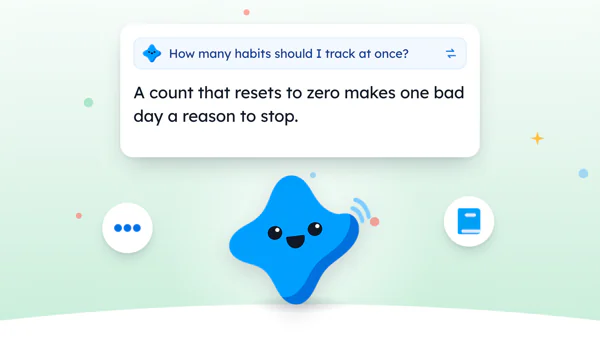
- A count that resets to zero makes one bad day a reason to stop.
- Setup, sign-ups and paywalls lose people before the habit even starts.
- Run a six-point check before you install the next one.
- One habit at a time gives any app a fairer chance.
Your phone has a folder called Habits. It holds three apps and, for reasons nobody remembers, the calculator.
You haven’t opened two of them since spring. Sound familiar?
We make a small-steps app, so we’re biased. A paper tracker works too, as does the advice on how to stay consistent.

Reading XP0 XP
Six reasons people quit habit apps
We read what people say when they delete these apps. In their words, the tool asked for more than the habit did.
Each reason below is paraphrased and linked, so you can read the original thread and decide for yourself whether it sounds like the last app you deleted.
The game wears off
Under a post about a game-style habit tracker, one commenter doubted it would work for more than a few days (opens in a new tab).
Points, they argued, don’t change why you wanted the habit. Fair enough.
Points are fun right up until they’re just a number going up. Then they’re homework.
The new-app shine fades
One commenter in another thread called the first few weeks a honeymoon (opens in a new tab). A new app is exciting, and having just paid for one helps too.
So they asked to hear back in a few months, once the novelty had worn off. And isn’t that the month most of us are already gone?
One missed day sends the count back to zero
One commenter had built up more than 1,000 days in a row in an app. Then came 24 hours of flights from the UK to New Zealand, with no internet at the airport in the middle.
The count went back to zero. They stopped using the app entirely (opens in a new tab). That’s one person and one app, so it’s a story, not a survey.
But it isn’t the only complaint about counting days in a row. In the same thread, another commenter said those counters often cause more problems than they solve (opens in a new tab) when you’re building a habit.
Pick a tool where one missed day costs one day.
Setup comes before the habit
Another commenter spotted the catch. You want me to set up a system to make me do more stuff (opens in a new tab), they asked, before promising to get started on it later, which may be the most honest app review ever posted.
The setup becomes the first thing you put off.
An account before anything else
One commenter installed an app someone else in the thread had suggested, then dropped it right away (opens in a new tab). The very first screen asked them to sign up and accept the terms.
That app wasn’t even a habit tracker. But the lesson carries over: they quit before doing a single thing in it.
Most of them had a paywall
Someone else said they’d tried many habit trackers, most of them with a paywall (opens in a new tab). What they liked about the one in that thread was how plain it was: add a habit, then do it, then repeat.
They didn’t ask for more features. Just fewer locked doors.
Quit reasons and what to look for instead
Here are the six reasons side by side, each with the thing to check before you install.
| Quit reason | What it looks like | Look for instead |
|---|---|---|
| The game wears off | Points stop meaning anything | A habit you’d do without points |
| The shine fades | Daily use for a few weeks, then nothing | A step small enough for week five |
| The count resets | One missed day, back to zero | A total of days that only grows |
| Setup comes first | An evening of building lists | One goal with a ready-made size |
| Account first | A sign-up screen before anything else | Works with no account |
| Paywall | Features locked behind a payment | A free plan that says what it keeps |
None of the six is about laziness. Each one’s something the app did, or asked for, on one particular day.
Before you install the next one
The cheapest time to spot a bad fit is before the first habit. You can do it on the App Store page.
Before you install
Ticks stay in this browser. Nothing is sent.
If setup takes longer than the habit, skip that app.
Before the next install, there’s one more thing worth knowing: what a missed day does to your count. Our guide to a running total of days puts the two ways side by side.
Our own app, run through the same list
It’d be odd to hand you a checklist and skip it ourselves. So here’s how ours does.
Yumemira, the small-steps journal for iPhone, has no account to make. Its reminders stay off until you turn them on.
You pick one goal from a library of 26, and each day brings one small step toward it.
Miss a day and the days you already did stay put. The count of days shown up never goes down.
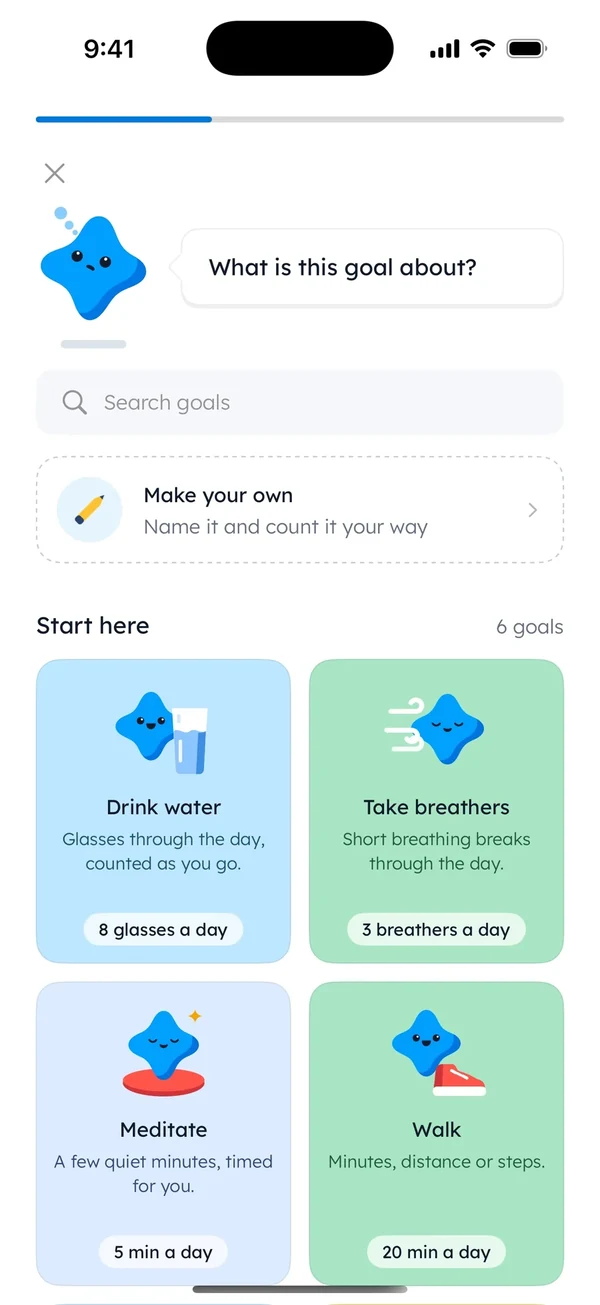
Now the limits. The free plan holds one goal at a time, on purpose, and Pro adds more. And the app has badges and levels, so the point about games wearing off applies to us too.
What keeps it going on a dull Thursday is smaller than a badge. After a step, you tap Say how it went and write one line.
It’s hard to have nothing to say about something you did four minutes ago.
The checklist works the same for any app you’re weighing, ours included. For a wider list, see what a goal app should do.
Why do I quit habit trackers so often?
Sometimes it’s the app, and the six reasons above are the usual suspects.
But sometimes the plan was written on a calm Sunday and then met a Wednesday with a late bus and cold rice for dinner.
No tool fixes that part.
If the same thing happens in a notebook, the plan is the place to look. The plans that break on day four have their own page: why you give up so easily.
Shrink the habit before you change the app again.
What to do with the apps you already have
Keep the folder if you like. Just leave one habit in it, small enough to survive a long day or 24 hours of flights.
The other apps can wait. One habit, one time is the whole plan for this week.
The calculator can stay. It never asked you to sign up.
Questions people ask
Do habit trackers work?
They can, if the tracker asks for less than the habit does. People in public threads often stop over setup, a count that resets after one miss, sign-ups or paywalls. One small habit at a fixed time gives any tracker a better chance.
Is a habit tracker app worth it?
It’s worth it if you’ll open it on a bad day. Paper works too. Before you pay for any app, use the free version for a week with one habit, and check what the free plan keeps after a trial ends.
How many habits should I track at once?
Start with one. Add a second only when the first still feels easy after a week. Tracking many habits on day one means a long list to face on your worst day, and that list is often what people delete.
Is there a habit tracker without a subscription?
Yes. A paper tracker on the fridge is one, and many apps have a free plan. Read what the free plan includes before you start, so nothing you rely on disappears when a trial ends.
Sources
- Comment on Show HN, I gamified a habit tracker to fight procrastination (opens in a new tab)
- Comment on Ask HN, What do you want in a habit tracker? (opens in a new tab)
- Comment on Show HN, A free minimalist daily habit tracker (days in a row lost after a long trip) (opens in a new tab)
- Comment on Show HN, I gamified a habit tracker to fight procrastination (setting up a system) (opens in a new tab)
- Comment on Show HN, A free minimalist daily habit tracker (sign-up on the first screen) (opens in a new tab)
- Comment on Show HN, A free minimalist daily habit tracker (most trackers had a paywall) (opens in a new tab)
- Comment on Show HN, A free minimalist daily habit tracker (days-in-a-row counters cause more problems than they solve) (opens in a new tab)
TopicStaying consistent

You earned the Curious Reader badge
You read to the end. Now delete every habit but one in the app you use most.
0 XP

Yumemira is an iPhone app (iOS 18 or later).
How Yumemira worksYumemira is free to start. iPhone, iOS 18 or later.