Skip to content

The iOS journal app for small daily steps

One goal. One small step. One line.

Yumemira is a small-steps journal for iPhone. Pick one of 26 goals or your own, do a step small enough for today, see it on your Lock Screen, and write one line about how it went.

Free to start. For iPhone with iOS 18 or later.

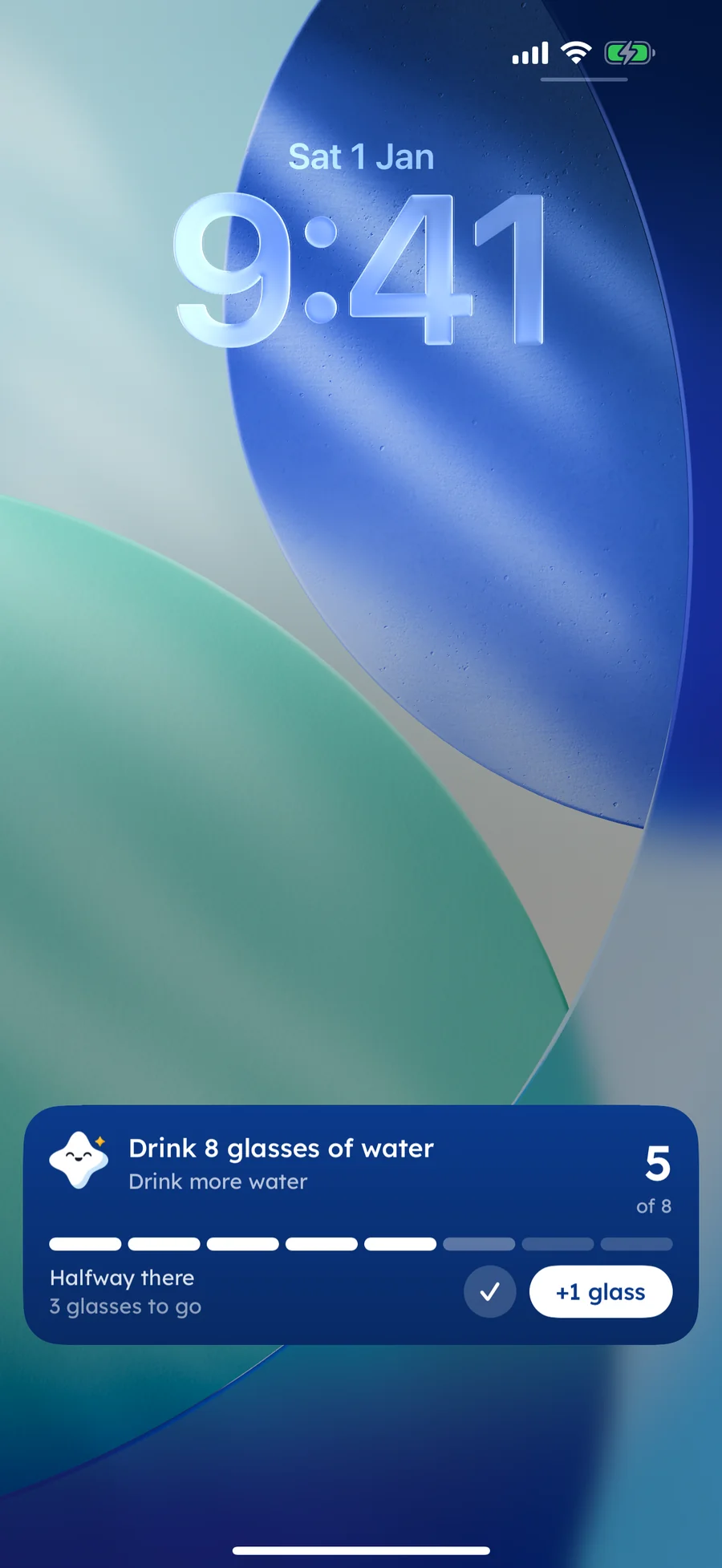
Yumemira on the iPhone Lock Screen: Drink 8 glasses of water, 5 of 8, Halfway there, 3 glasses to go, with a Done tick and a +1 glass button

How it works

How it works on your iPhone.

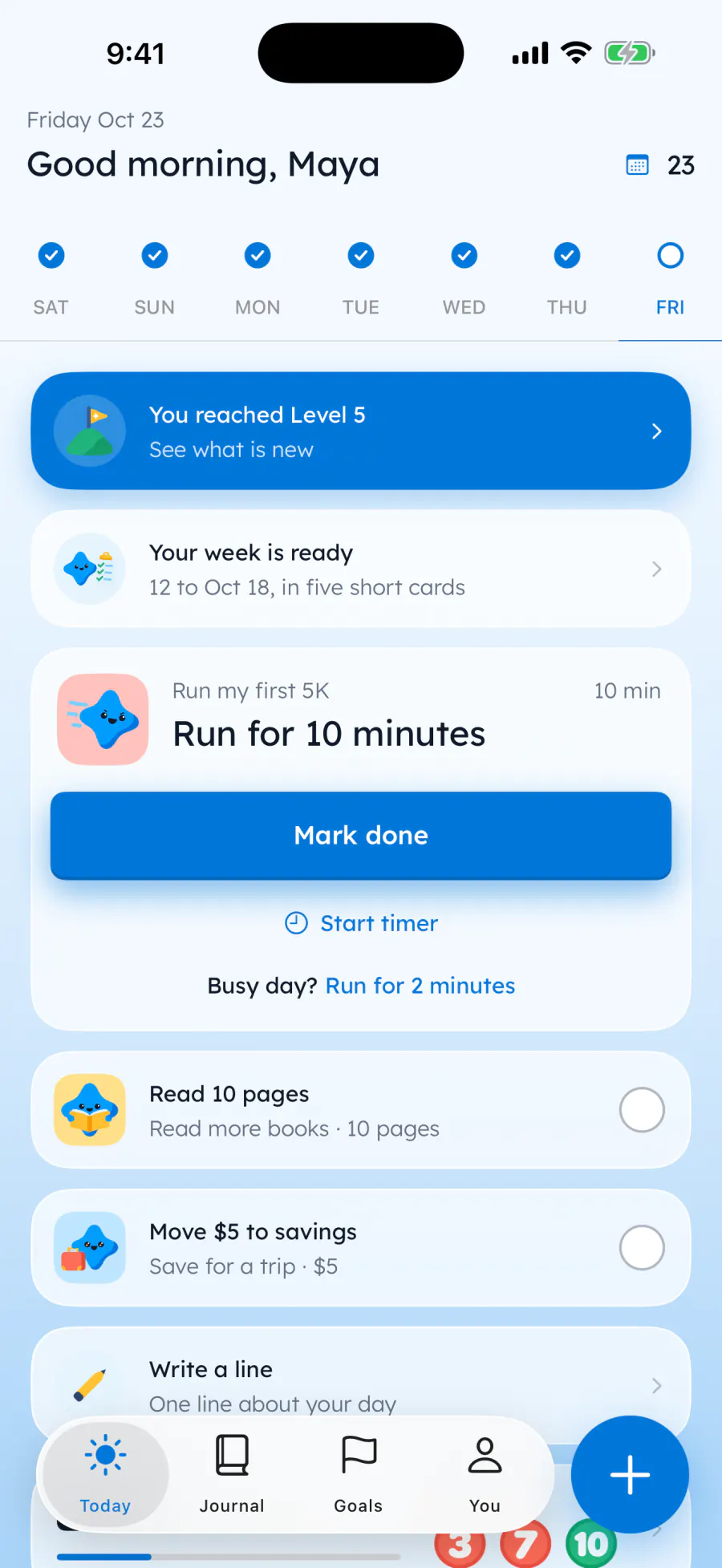
  1. Maya's Today screen in Yumemira: Friday Oct 23, 23 days shown up, a full week of ticks, and today's step Run for 10 minutes with Mark done, Start timer and a busy-day step of 2 minutes, then Read 10 pages and Move $5 to savings

    1Today's small step

    Pick one of 26 goals, or make your own. Each day brings a step small enough for today, and a busy-day step that counts in full.

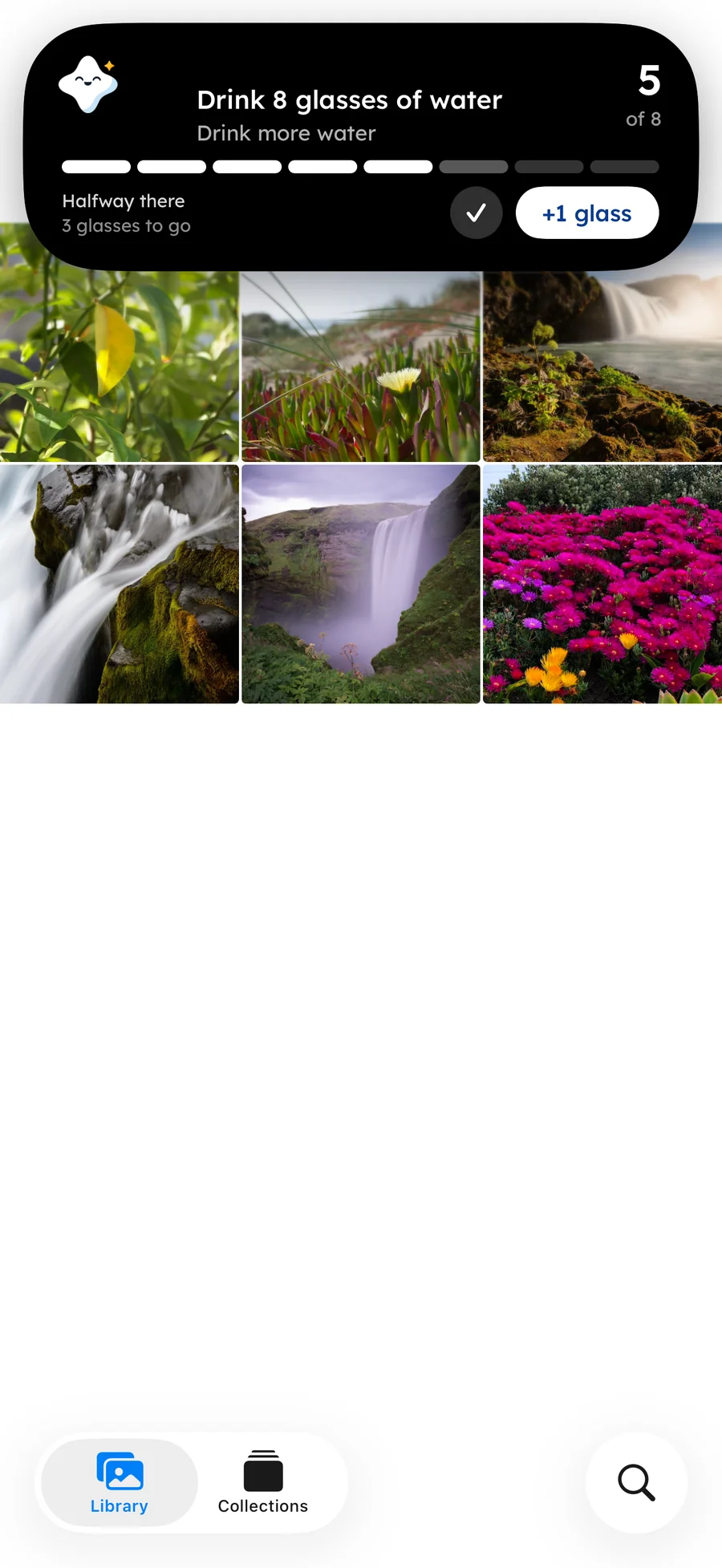
  2. Yumemira in the Dynamic Island while the Photos app is open: Drink 8 glasses of water, 5 of 8, Halfway there, 3 glasses to go, with a Done tick and a +1 glass button

    2It stays with you

    Tap Start and your step lives on the Lock Screen and in the Dynamic Island, with +1 glass and Done right there.

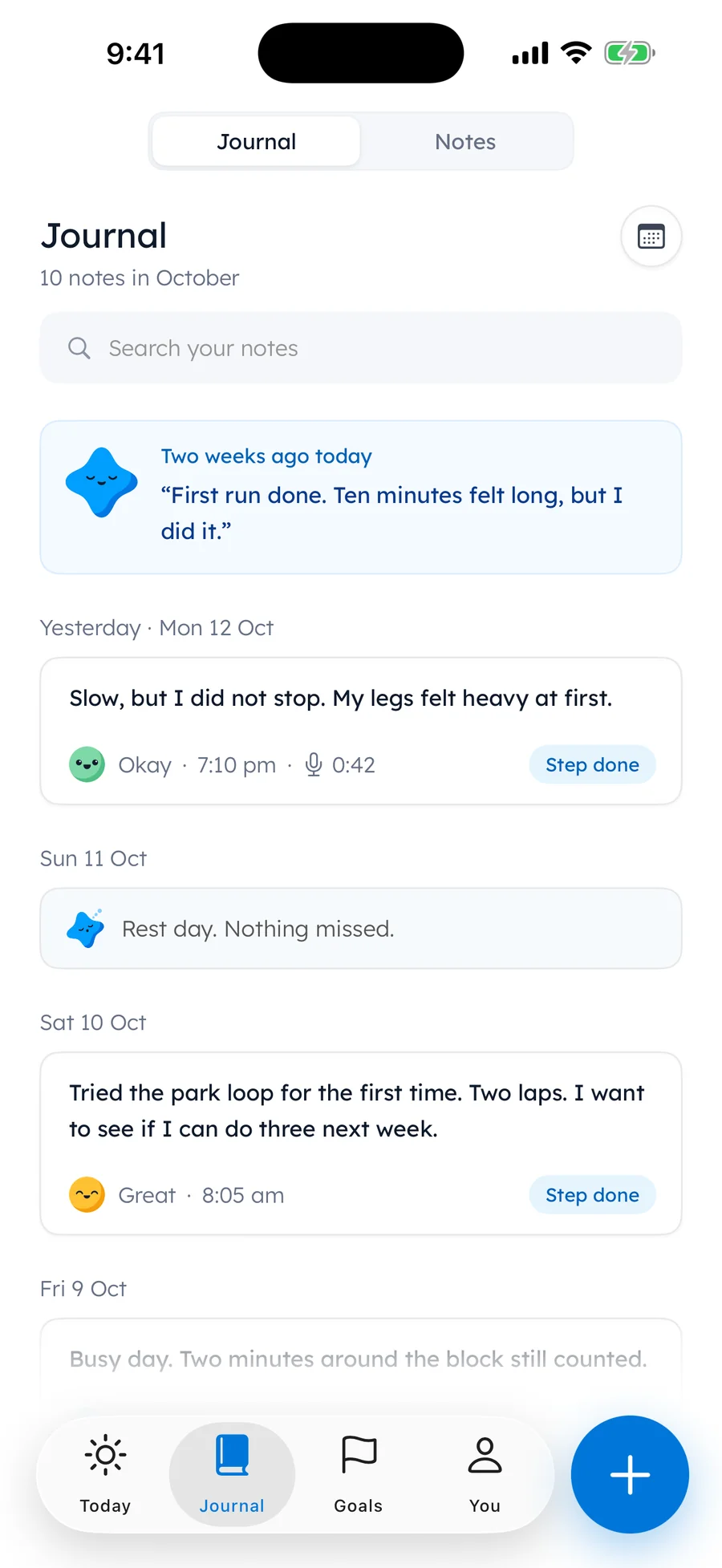
  3. Maya's journal in Yumemira: 10 notes in October, one short note a day with a face, the time, a voice note or a Step done tag, and a rest day

    3Mark it done, write a line

    Mira cheers, and you write one line about how it went, with a face for how it felt.

Made for your goal

Every goal counts
its own way.

  • Waterglasses, ml or fl oz
  • Readingpages or minutes
  • Savingany currency
  • Calmminutes
  • Walkingkm or miles
  • Your ownany amount
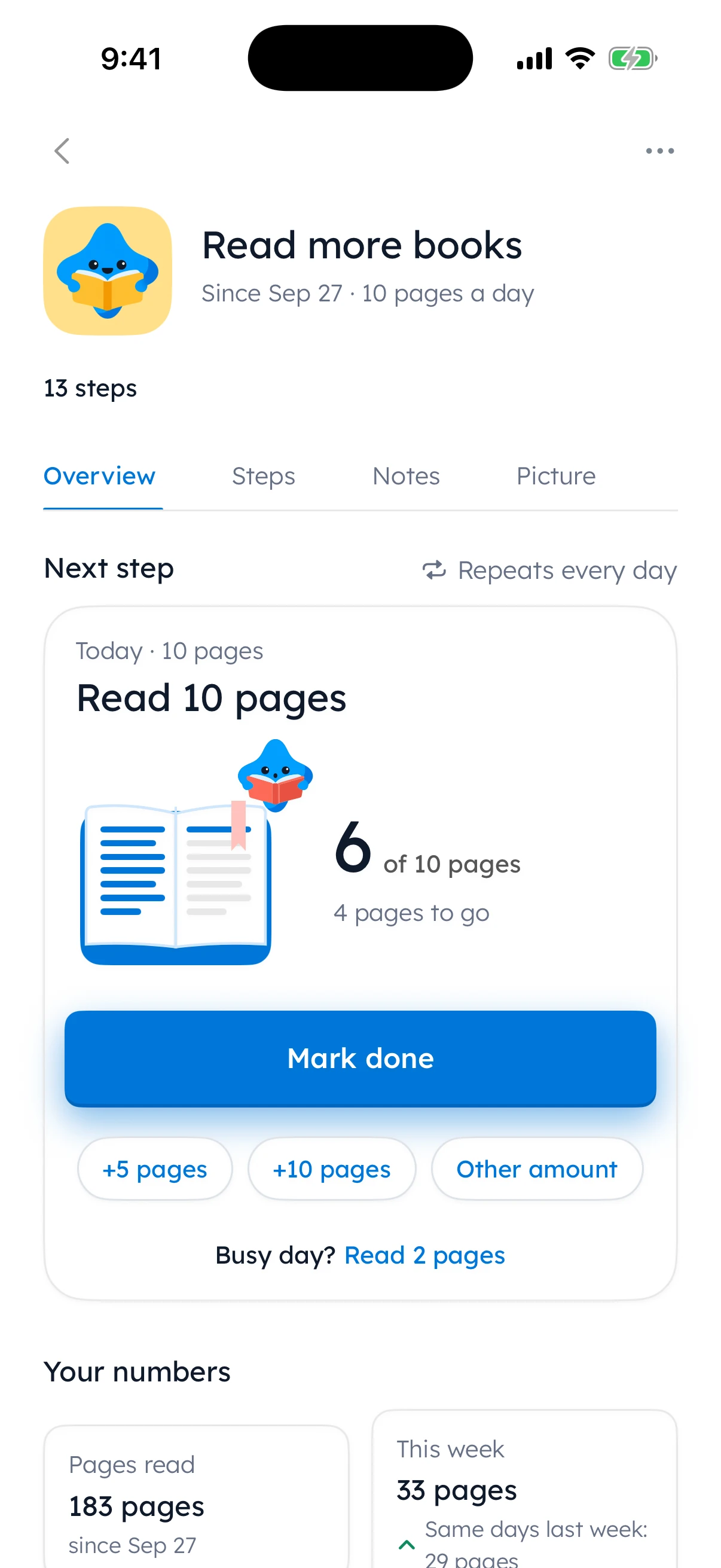
Maya’s Read more books goal: 10 pages a day, 6 of 10 pages read today with Mark done, and her reading numbers

Built for iPhone

Built for iPhone.

  • Your step on the Lock Screen and in the Dynamic Island, on iPhones that have one.
  • Home Screen and Lock Screen widgets. Three goals and your week on the large widget with Pro.
  • Control Center: Start my step, in one tap.
  • Say it out loud. Speech recognition on your iPhone turns your voice into text in your daily journal.
  • A text size slider, or follow your iPhone's size.
  • Dark mode that follows your iPhone.
  • App lock with a passcode or Face ID. PRO
  • Your own backup file, saved from Settings.
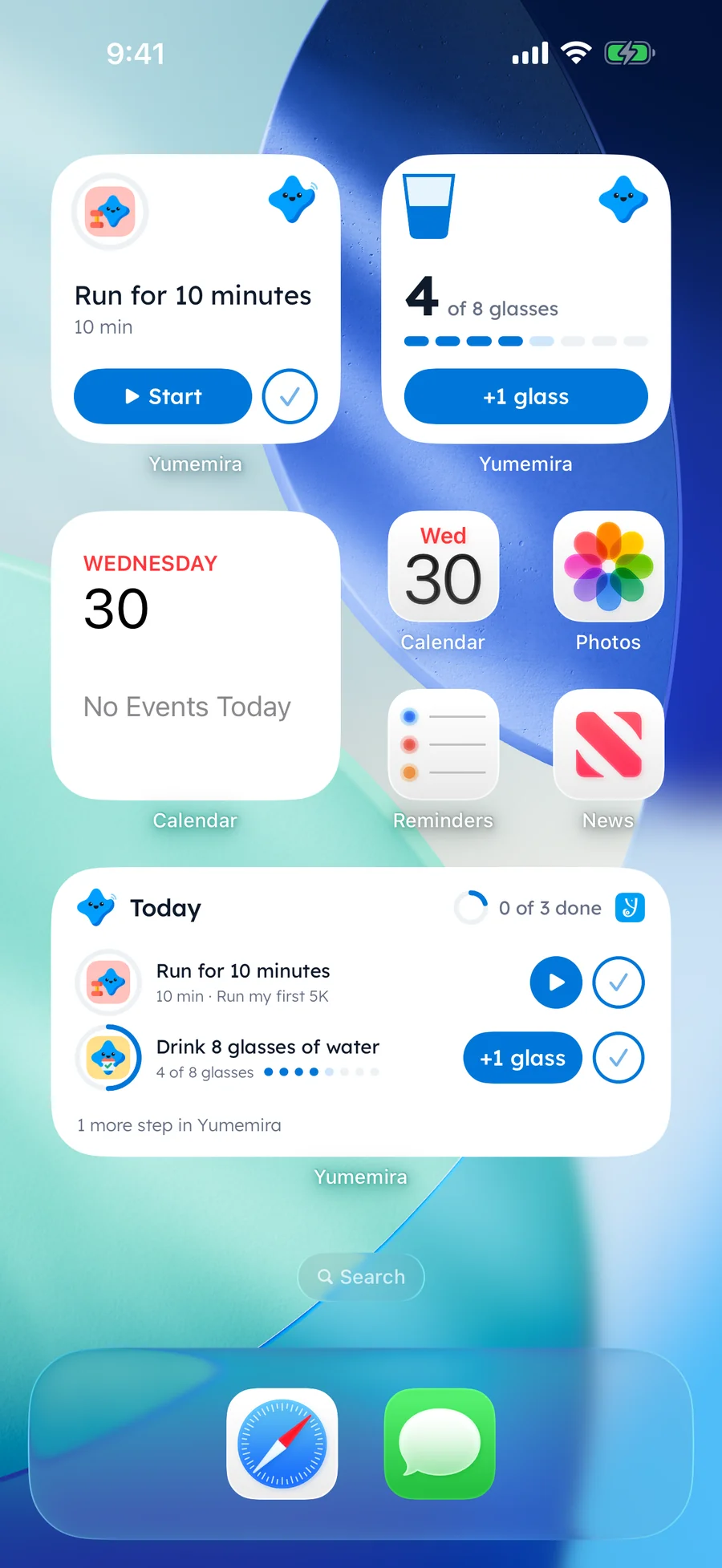
Yumemira widgets on an iPhone Home Screen: a small widget with Run for 10 minutes and Start, a water widget at 4 of 8 glasses with +1 glass, and a medium Today widget with both steps
Download on the App Store

Your Lock Screen step and the small and medium widgets are free.

Levels and badges

Badges that grow
with you.

Every step earns XP and fills your level, through 20 levels from First step to Mountain top. Mira, your star, cheers every step.

Badges go from a first step to ten years of days, with more for glasses, pages, money and minutes, and 7 surprises to find. Every badge is free to earn.

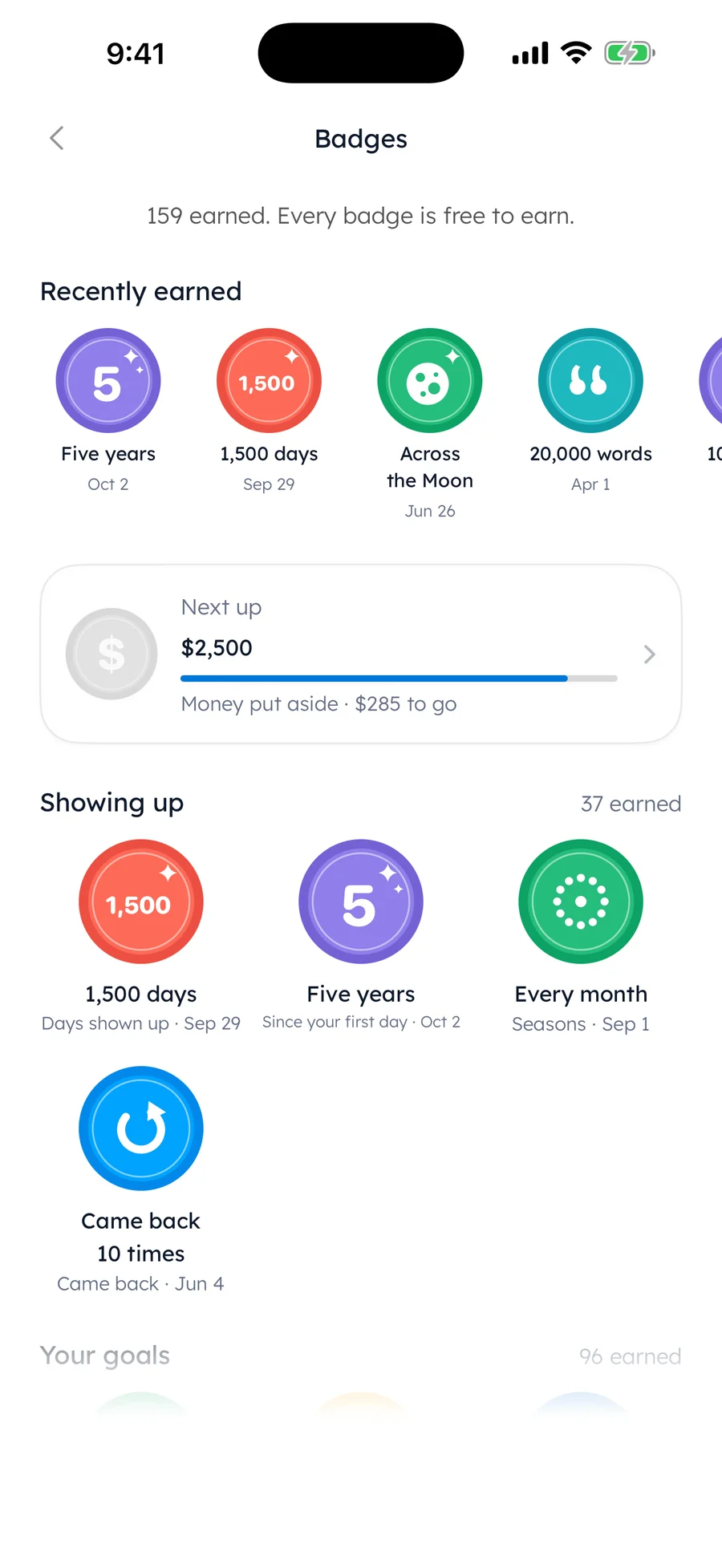
Maya's badges in Yumemira: 159 earned, Every badge is free to earn, recently Five years, 1,500 days, Across the Moon and 20,000 words, and Next up $2,500 put aside with $285 to go

No streak to lose

Your days add up.
They never go down.

A day counts when you do your step or write a note. Rest days are built in, you can pause a goal, and you can mend a missed day once every 30 days.

Choosing a journal app

What to look for in an iOS journal app

The journal you keep is the one that fits your day. Here is what we think is worth checking, and how Yumemira answers each point.

What to checkYumemira
Where your entries liveOn your iPhone, not uploaded to Yumemira; no account needed
How quickly you can writeOne line is a whole entry; type it or say it
VoiceSpeech recognition on your iPhone
MoodsFive faces and a free mood chart
PhotosUp to six per note
Notes and checklistsNotes beside your journal, with checklists, #tags, pins, photos, files and recordings
Finding old entriesSearch and a month calendar; year view with Pro
Widgets and Lock ScreenYour step on the Lock Screen and in the Dynamic Island; Home Screen and Lock Screen widgets
Guided sessionsBreathing, meditation, water and focus sessions open when you tap Start
LockPasscode or Face ID with Pro
RemindersOff until you turn them on; at the times you pick, with quiet hours
Missed daysDays shown up never go down; rest days, pause and mending
BackupsA backup file you keep, and your iPhone's iCloud Backup when it is on
Sync between devicesNot today
Ads and trackingNo advertising or cross-app tracking tools
DevicesiPhone with iOS 18 or later
Local pricesPriced in 175 countries and regions; the App Store shows your price before you pay
PriceFree to start; Pro $2.99 a month or $29.99 a year after a 7-day free trial

Who it is for

Made for small, steady days.

  • You start journals and stop

    One line a day is small enough to keep, and a missed day is never a reset.

  • You keep putting a goal off

    Yumemira turns it into a step small enough for today, with a busy-day step that counts in full.

  • You want a private place to think

    Your journal and notes are stored on your iPhone, and Pro adds a passcode or Face ID lock.

  • You just want to write

    Skip the goal. Write about your day, add a face or a photo, or say it out loud.

Privacy

Private by design.

Your journal, notes, photos and voice notes are stored on your iPhone and are not uploaded to Yumemira. There is no account, and we do not include advertising or cross-app tracking tools.

One switch hides the words in notifications, widgets and on the Lock Screen. With Pro, a passcode or Face ID opens the app. Goal pictures are optional, and only the words you approve are sent to make one.

Read the privacy policy.

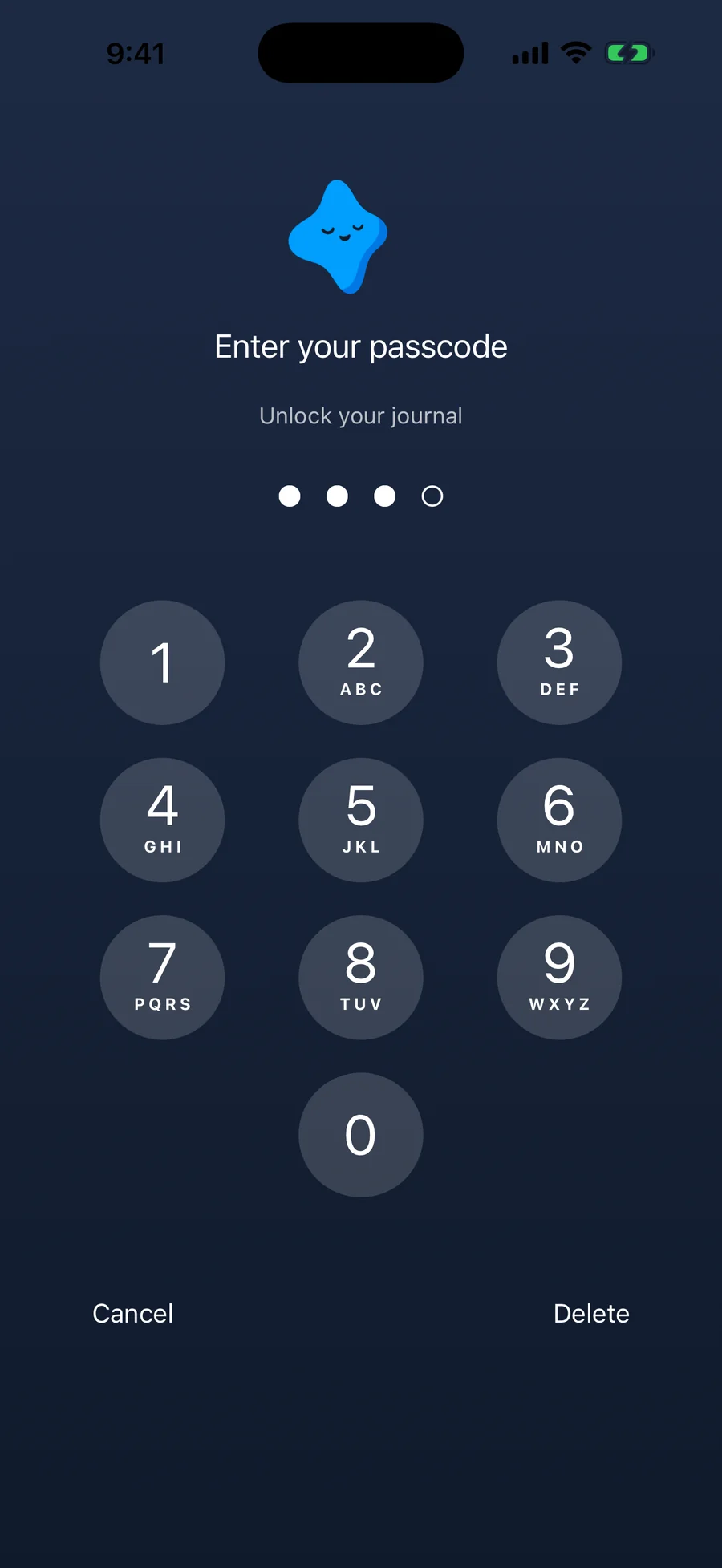
Yumemira's app lock, a Pro feature: Enter your passcode, Unlock your journal, with three of four digits in and the star above the keypad

App lock PRO

Free and Pro

Free and Pro.

Yumemira

Free

Everything you need for one goal.

  • One goal at a time, with a small step every day
  • Guided sessions and your step on the Lock Screen
  • Journal, notes, faces and voice
  • Levels, badges and your mood chart
  • Rest days, mending and pause
  • Reminders, small and medium widgets

Yumemira Pro

$2.99 a month

or $29.99 a year, after a 7-day free trial. Everything in Free, plus:

  • More than one goal at a time
  • Insights about what moves your goals
  • Year view of your journal
  • Goal pictures made with AI
  • App lock with your passcode or Face ID
  • Export as a PDF or a picture
  • Every card look, and three goals on the large widget

Prices in US dollars; the App Store shows the price in your country before you pay, and you can cancel any time in your Apple subscriptions. More on Free and Pro.

Good to know before you download.

Yumemira is made for iPhone with iOS 18 or later. There is no Android, iPad-specific or Mac version, and no sync between devices today.

Questions

Questions about the iOS app

Is Yumemira free?

Yes. Free has one goal at a time, with the daily step, sessions, your journal and notes, reminders, levels, badges, rest days and small and medium widgets, with no time limit. Pro is $2.99 a month or $29.99 a year, after a 7-day free trial, and you can cancel any time in your Apple subscriptions. The App Store shows the price in your country before you pay.

What is a goal journal?

You pick something you want, do one small step a day, mark it done and write a line about how it went. Your notes stay with the goal, so you can see what you actually did.

How small is a small step?

Small enough to do today: 10 minutes, 10 pages, a glass of water or a little money set aside. On a busy day, the busy-day step counts in full.

Does it have widgets and a Live Activity?

Yes. Tap Start and your step stays on the Lock Screen and in the Dynamic Island, with buttons like +1 glass and Done. Small, medium and Lock Screen widgets are free, and Pro shows three goals and your week on the large widget.

Is my journal private?

Your journal, notes, photos and voice notes are stored on your iPhone and are not uploaded to Yumemira. There is no account, no ads and no cross-app tracking. The only thing that leaves your iPhone is the short description you approve when you ask for an optional goal picture.

Can I lock my journal with Face ID?

Yes, with Pro: a passcode or Face ID opens the app, and the lock covers Notes too.

What if I miss a day?

Nothing is lost. Your days shown up never go down: a day counts when you do your step or write a note. Rest days are built in, you can pause a goal, and you can mend a missed day once every 30 days.

Which iPhones does it work on? Does it sync?

iPhone with iOS 18 or later. There is no Android, iPad-specific or Mac version, and no sync between devices today. Settings › Backup saves your journal and notes as a file you can bring to a new iPhone.

Is it a medical or therapy app?

No. It is a journal with goals and small steps. It does not give medical advice.

Do I need to use AI?

No. Goals, steps, sessions and your journal work without it. Goal pictures are an optional Pro extra: the app asks first and labels each one Made with AI.

Where can I download it?

Yumemira is on the App Store for iPhone (iOS 18 or later). Tap Download on the App Store on this page.

Your first small step is waiting.

Pick one thing you want, do a little today, and write one line about it.

Download on the App Store

For iPhone with iOS 18 or later. More about the daily journal app