
Earlier mornings
How to wake up early, 15 minutes at a time
The short answer
How to wake up early, in short: move your alarm 15 minutes earlier each week instead of jumping straight to the time you want. Add one cue each week, like putting the phone across the room. On a late or busy morning, just get up when the alarm rings. Keep each new time for a week.
In 30 seconds
- Start from the time you really get up, not the alarm time.
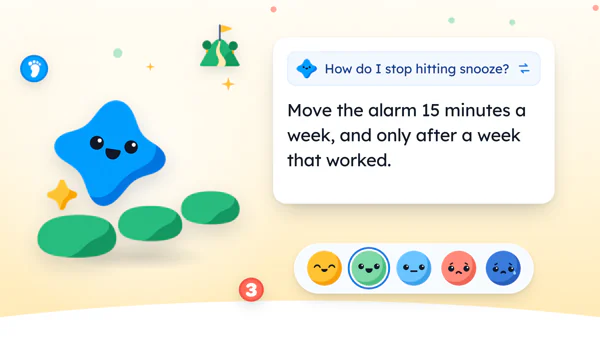
- Move the alarm 15 minutes a week, and only after a week that worked.
- Add one cue per week, such as clothes out the night before.
- After a late night, getting up when the alarm rings is the whole job.
Setting an alarm for 5:30 takes about four seconds. Getting up at 5:30 is handled by a different department.
Say the alarm has read 5:30 since a podcast praised the quiet hour before the house wakes up. It gets snoozed until 7:10 anyway.
Say each snooze lasts nine minutes. That’s eleven negotiations before breakfast. (The clock wins every one.)

Reading XP0 XP
Why jumping to 5 am rarely sticks
A big jump asks you to become a different person by Monday. Monday rarely agrees.
That’s not a character flaw. It’s a gap of 100 minutes, asked for all at once. The fix is the one behind most small goals: cut it down until the first piece fits into tomorrow.
The alarm moves. Everything around it stays exactly where it was:
- dinner at the usual time
- the last episode
- the late bus home
- the dishes
So the alarm rings at 5:30 for someone who went to bed at the usual hour, and the morning ends up paying the whole bill for an evening that didn’t change one bit.
Day one is hard. Day two is harder. And by Thursday, the snooze button is back in charge.
Small moves are easier to repeat. Fifteen minutes is short enough that the morning still feels like yours.
Move the alarm only after a week that worked.
How to wake up early, 15 minutes a week
The whole plan fits in four steps, and setting it up takes about two minutes tonight.
Real start.
The time you actually get out of bed. In the example, that’s 7:10.
Goal time.
Earlier than now, and honest. 6:30 is fine. So is 6:55.
Move 15.
From 7:10 to 6:55, for the next seven mornings.
Hold a week.
If most mornings worked, move it again. If not, stay one more week.
Here’s what four weeks could look like from that 7:10, with one new cue each week.
| Week | Alarm, plus one cue | A line it might get |
|---|---|---|
| Week 1 | 6:55 am, phone across the room | “Up at 6:55. Had to walk over to stop it.” |
| Week 2 | 6:40 am, clothes out the night before | “6:40. Clothes were waiting on the chair.” |
| Week 3 | 6:25 am, something you like waiting | “6:25. Toast first, then everything else.” |
| Week 4 | 6:10 am, lights on right away | “6:10. Lamp on before the arguing started.” |
From 7:10 to 5:30 at this pace is about seven weeks. Too slow?
Maybe. But seven weeks of mornings that stick beat one heroic Monday and a long list of snoozes.
Or you might stop at 6:25 and find it’s early enough.
Full disclosure: we make an app with this goal in it. Your phone’s Clock app runs the plan above just fine, and so does a wind-up alarm from a drawer.
In Yumemira, the small-steps journal for iPhone, Wake up early is one of the ready goals. It starts at Up by 6:30 am, weekdays.
You change the time to yours. It shows in your iPhone’s own clock format, so a 24-hour iPhone shows 06:30.
A wake up early routine, one cue a week
A cue is one small thing that makes getting up easier than staying put. Pick one per week.
Why only one? Because five new tricks on day one is just the 5 am jump in a different hat.
- The phone across the room. You have to stand up to stop it, and then you’re already standing.
- Clothes out the night before. The chair that always holds laundry anyway finally gets an official job.
- Something you like, waiting. Toast, music, a radio show, the next chapter of a library book.
- Lights on right away. The lamp switch, first thing.
The cue doesn’t need to be clever. It only needs to be there at 6:55 on a dark weekday, when the warm side of the blanket is making a very good case for staying.
That’s its whole job.
If the alarm lives on your iPhone, Apple’s guide to setting an alarm (opens in a new tab) shows two useful switches.
Snooze can be switched off, and there’s a Snooze Duration setting if nine minutes isn’t your number. The Label field lets you give the alarm a name.
The busy-day rule
Some mornings won’t go to plan. So decide now what’s enough on those days: getting up when the alarm rings.
A late night, a sick kid, a train at an odd hour. Any of them can wreck the new time.
On those mornings there’s no earlier time to hit, no cue to remember and no extra fifteen minutes to fill, because getting up on the first ring is the whole job. Nothing else.
This rule comes straight from the app. Each ready goal in Yumemira has a smaller busy-day step, and for Wake up early it’s “Get up when the alarm rings.”
One easy win on a bad morning keeps the plan.
| If this morning… | Write something like… |
|---|---|
| Came after a late night | “Late night. Up when the alarm rang anyway.” |
| Went to plan | “6:25, first ring. Toast was worth it.” |
| Had one snooze | “Snoozed once. Still up before last week’s time.” |
| Was moved by a shift | “Shift week. Plan on pause. Back next Monday.” |
| Had no alarm at all | “Weekend. Woke at 8. Fine.” |
What to do with the extra 15 minutes
Fifteen minutes isn’t much. That’s the point, and it’s why it works on a Tuesday.
It’s enough for one small thing, done slowly, before the phone fills up with other people’s mornings and the day starts asking for things.
Small things get repeated.
- Drink a full glass of water before anything else.
- Read two pages of the book from the bedside table.
- Stand at the window for one song.
- Write one line about yesterday.
For more, there’s a long list of morning routine ideas sorted by minutes.
Here’s a trick that works on paper too: do one small thing, then write one line about it. The glass of water is still on the counter, so you’ve got your line.
In the app, that line goes under Say how it went, right after you mark the step done. If you’d like the alarm plan and the line in one place,  try it in Yumemira.
The night side of an early alarm
But an earlier morning can start the night before, with a change as small as where the phone charges. A short evening routine checklist sets the morning up before it starts.
That’s the night side, and the app has a separate goal for it. Sleep on time begins with the same question this whole post started from: when do you get up?
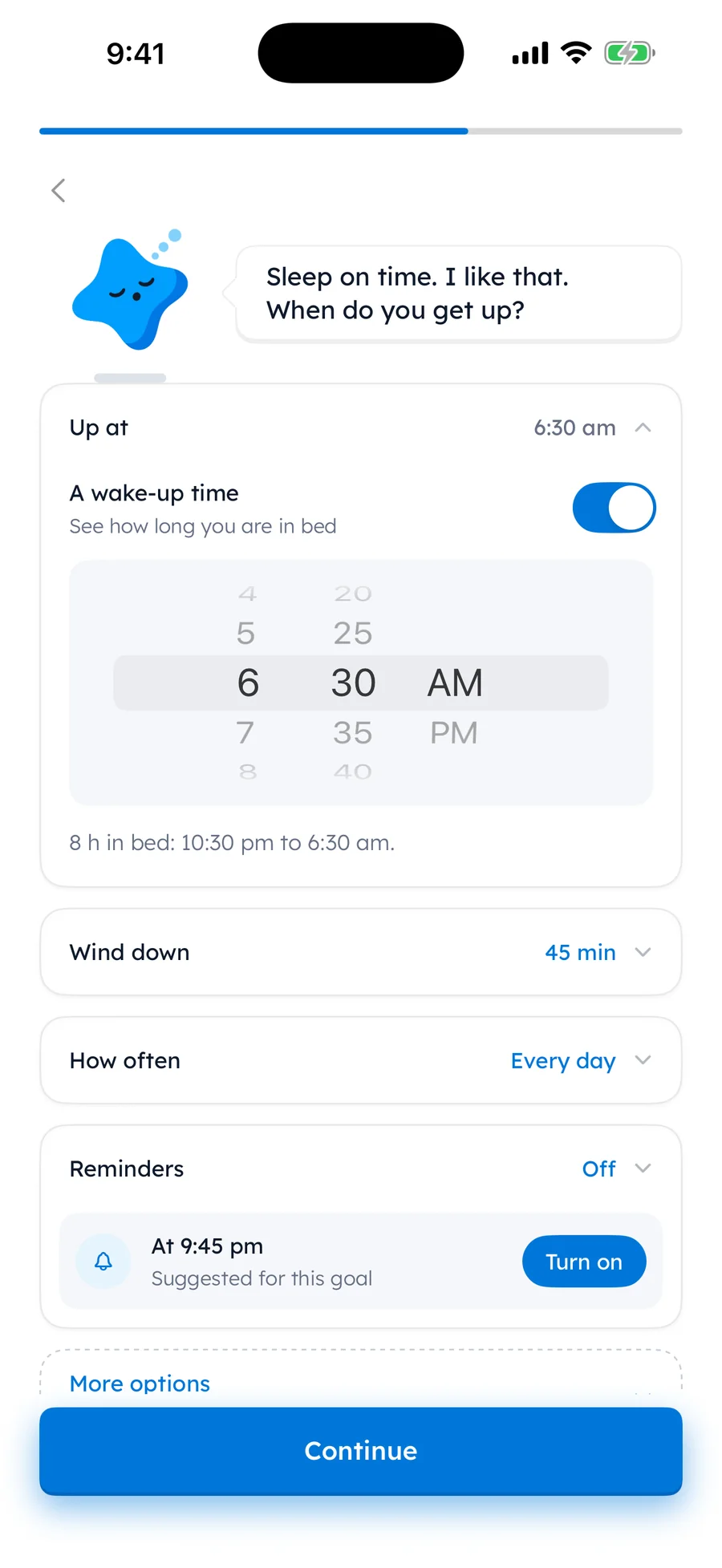
As with every goal, reminders stay off until you tap Turn on. And who wants a phone pinging them at bedtime unless they asked for it?
Set up tomorrow morning tonight
All of this can be done from bed, with one hand, in about a minute.
Tonight, before bed
Ticks stay in this browser. Nothing is sent.
If this morning took eleven snoozes, tomorrow only has to beat that by one.
So move the alarm 15 minutes, and put the phone on the far side of the room.
The 5:30 alarm can take a few weeks off.
Questions people ask
How do I wake up early if I’m not a morning person?
Start from the time you really get up, then move the alarm 15 minutes earlier for a week. Add one cue, like putting the phone across the room. Only move it again after a week that mostly worked.
How do I stop hitting snooze?
Put the alarm where you have to stand up to stop it, and turn off Snooze in the alarm’s settings. Naming the alarm after your reason for getting up can help too. One snooze on a hard morning is fine.
How long does it take to get used to waking up early?
It varies from person to person, and nobody can promise a number of days. Go 15 minutes at a time and move on only after a week that mostly worked. You might stop early because the new time already feels right.
What should I do if I went to bed late?
Don’t push the earlier time on that morning. Getting up when the alarm rings is enough. Then go back to the plan the next day. If late nights happen every week, look at the evening first.
Sources
TopicSmall goals

You earned the Small Step badge
You read the plan. Tonight, set tomorrow’s alarm 15 minutes earlier.
0 XP

Yumemira is an iPhone app (iOS 18 or later).
How Yumemira worksYumemira is free to start. iPhone, iOS 18 or later.