
Private journal
How to Keep a Journal Private, on Paper and on Your Phone
The short answer
To keep a journal private, give it one home, or keep it with you, and lock the phone you write on. On paper, use a plain notebook and initials for other people. On a phone, add a passcode, lock the app and hide notification text. Then keep a backup somewhere only you open.
In 30 seconds
- Paper journals need one fixed home, or a bag you carry.
- On a phone, lock the app and hide the notification text.
- Write other people as initials. It’s kinder, and it’s safer.
- If someone read it, move it first and decide the rest later.
In July 2024, someone posted to Reddit’s r/Journaling under a flat title: “My journal got read” (opens in a new tab). Their partner had read it. For months, they couldn’t write.
That’s one side of one story. But the replies are full of versions of it.
We make an iPhone journal, so we’re not neutral. Most fixes here are free and work on paper.

Reading XP0 XP
Why privacy changes what you write
A journal works when you can be honest in it. Honesty gets slippery the moment you picture someone at home reading over your shoulder, one finger on the line you’d most like to take back.
You start writing for the reader. The lines get careful, then polite, then dull. A journal you’d happily show anyone is a newsletter.
Write like nobody will read it, then make it so.
Privacy keeps the habit going, too. If you’re working out how to journal every day, a page that feels like yours is easier to open when you’re tired.
Six risks and how to fix each
Plenty of journals get read by accident, through a notebook left on the kitchen table or a message preview lighting up a Lock Screen while someone else holds the phone.
So the fixes are mostly about where the words live.
| Risk | Paper fix | Phone fix |
|---|---|---|
| Someone at home opens it | Keep it in a bag you carry | Lock the app, or use the iPhone’s app lock |
| It’s left out on a desk | One fixed spot, back every night | It lives in your pocket anyway |
| Notifications show your words | Not needed | Turn on Hide text in Settings |
| It’s lost or broken | Photograph each full page | Save a backup to a file you keep |
| A shared account or login | Not needed | Yumemira has no account to make |
| Copies pile up over the years | Box old notebooks, or shred them | Keep backup files out of shared folders |
Where the phone column names a setting, it’s Yumemira’s. Other journal apps have their own settings, so check yours.
Watch the last row. A backup is a second copy of your journal, and it’s only as private as where you put it.
Keeping a paper journal private
Paper has one design flaw.
A notebook you write in every night learns to fall open at the latest page, as if it’s trying to help.
It isn’t.
So the job on paper is to make the notebook boring and hard to find:
- A bag you take everywhere is the best shelf, if the notebook fits.
- One fixed spot works too, as long as it goes back every time.
- A plain cover helps. Gold letters saying DIARY invite the wrong reader.
- Initials give less away. “S.” tells a snoop almost nothing.
- Photos of full pages make a good backup, once they’re out of shared albums.
What about those diaries with a tiny brass lock? They’re lovely. The lock is mostly decoration.
How to keep a diary private from family
At home, the clearest fix is a plain ask. Tell the people you live with that the notebook is private, and please don’t read it.
That sets the rule out loud. Nobody can say they didn’t know.
A drawer that locks helps too. So does a small lockable box.
How to keep a journal private on your iPhone
Start with the phone itself. A phone with a passcode is already more private than a notebook on a table.
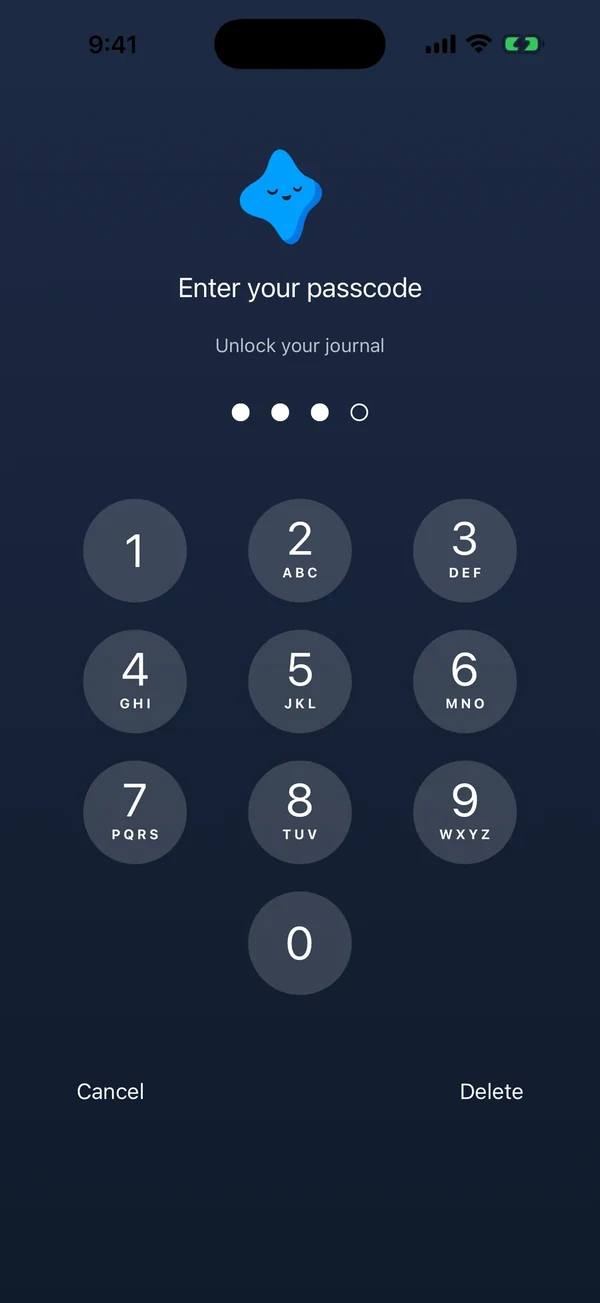
Then lock the app. Apple’s guide to locking or hiding an app on iPhone (opens in a new tab) has the steps. Touch and hold the app on the Home Screen, then tap Require Face ID (or Touch ID or Passcode).
Apple says a locked app’s information won’t show in places like notification previews and search. The lock stays on that one iPhone.
In Yumemira, the small-steps goal journal for iPhone, the rest is a few settings:
No account.
There’s nothing to sign up for. Your journal and notes are stored on your iPhone and aren’t uploaded to us.
Hide text.
Settings › Privacy and lock › Hide text in notifications and widgets keeps your words off the Lock Screen. It’s free.
App lock.
With Pro, the app asks for a passcode before it opens, and the lock covers Notes too.
Save a backup.
Settings › Backup › Save a backup makes a file you keep, in Files or on a computer.
How Yumemira keeps your journal on your phone has the full details, from widgets to what happens when you delete everything.
How to write so it stays private
Locks protect the page. The words can do some of the work too.
You can write the truth and still keep the details to yourself.
A line can hold the feeling without the names, the place or the whole story. You’ll still know what it meant a year from now.
| If the line is about… | Write something like… |
|---|---|
| A fight at home | “Hard talk with S. Still thinking about it.” |
| Someone at work | “Long meeting. J again. Kept quiet.” |
| A crush | “Saw R at the bus stop. Said hi like a normal person.” |
| A plan you’re keeping quiet | “Applied. Telling nobody until I hear back.” |
| Something you’re not ready to name | “Big thing today. More when I’m ready.” |
Initials and feelings are enough for your future self.
This works in any notebook, and in a private one-line journal on your phone.
If someone already read your journal
It happened. Nobody can unread it.
You still get to decide what happens next, one small move at a time, starting with where the notebook sleeps tonight and ending wherever you choose.
- Move the journal tonight, before any big conversation.
- Decide what you want to say, if anything. “I need this notebook to stay private” is a complete sentence.
- Write tonight’s line anyway, even if it’s only “Hard day.”
Change where it lives before you change what you write.
If the writing stopped for weeks, how to start journaling again has a first line for any gap.
And once the page feels safe again, it’s where the honest stuff goes. That’s what journaling for self growth runs on.
Your privacy check
Five quick checks, most of them under a minute. You don’t need all five tonight.
Your privacy check
Ticks stay in this browser. Nothing is sent.
If your journal is on the phone, how to back up your journal walks through the Backup screen step by step.
Tonight, tick one box from bed. Then write a line that nobody else gets to read.
Questions people ask
How do I keep my journal private?
Give it one fixed home or carry it with you. Use a plain notebook and write people as initials. On a phone, add a passcode, lock the app and hide notification text. Keep any backup in a place only you open.
How do you keep a diary private from parents?
Ask plainly: tell them the diary is private and that you’d like them not to read it. Keep it in the same place every time, or in a bag you carry. On a phone, a passcode on the phone itself helps most.
Is a journal app on iPhone private?
It depends on the app, so check where entries are stored, whether you need an account and whether it can lock. Yumemira keeps your journal on your iPhone with no account, hides text on the Lock Screen for free, and adds an app lock with Pro.
What should I do if someone read my journal?
Move the journal somewhere new tonight, before any big talk. Then decide what, if anything, you want to say. Keep writing, even if tonight’s line is only two words. The page can become yours again.
Sources
TopicKeep journaling
You earned the Small Step badge
You read to the end. Tonight, pick one row from the risk table and fix it.
0 XP

Yumemira is an iPhone app (iOS 18 or later).
More about the daily journalYumemira is free to start. iPhone, iOS 18 or later.